
How Much Weight Can A Computer Desk Hold?
When choosing a Computer Desk, weight capacity is a critical factor that is often overlooked. Modern desks are no longer used only for a laptop and a mouse. Many setups now include multiple monitors, desktop towers, printers, books, storage drawers, and sometimes even sit-stand mechanisms. Understanding how much weight a computer desk can hold helps prevent structural failure, improves safety, and ensures long-term durability. This article explains typical desk weight capacities, what affects load-bearing strength, how different desk types compare, and how well-made desks are engineered to handle real-world use.
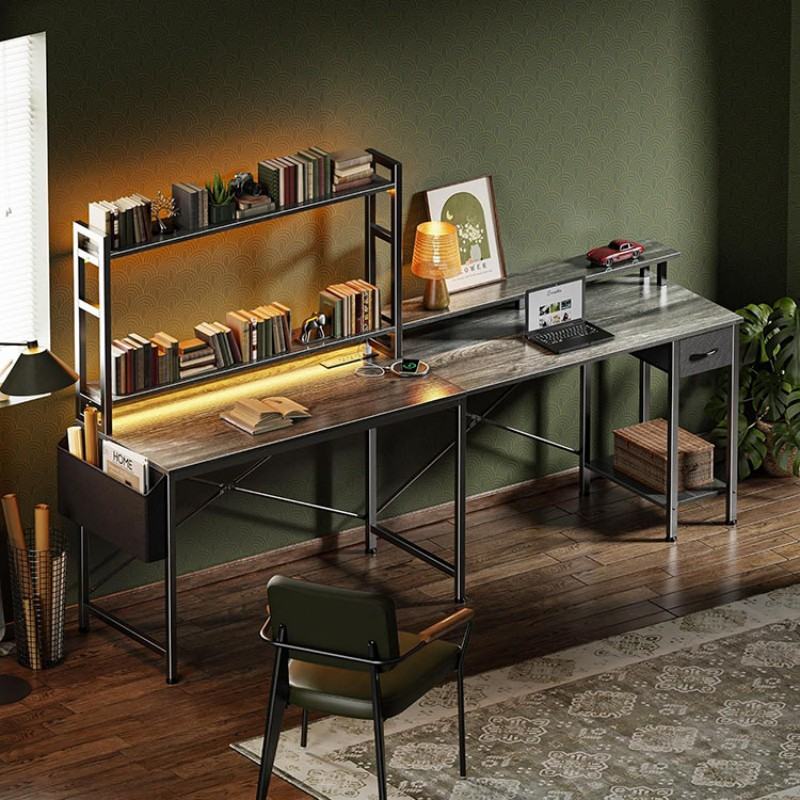
Table of Contents
- 1. What Does “Weight Capacity” Mean for a Computer Desk?
- 2. Typical Weight Capacity of Computer Desks
- 3. Key Factors That Affect How Much Weight a Desk Can Hold
- 4. Desk Types and Their Load-Bearing Differences
- 5. Why Construction Quality Matters More Than Stated Numbers
- 6. How to Estimate Your Actual Desk Load
- 7. Long-Term Stability and Safety Considerations
- Conclusion
1. What Does “Weight Capacity” Mean for a Computer Desk?
The weight capacity of a computer desk refers to the maximum load the desk can safely support without bending, loosening, or losing structural stability. This includes both evenly distributed weight, such as monitors and keyboards placed across the surface, and concentrated weight, such as a heavy desktop tower placed in one area.
Manufacturers usually calculate weight capacity based on static load under controlled conditions. In real use, dynamic forces such as leaning, sliding equipment, or repeated movement can increase stress on joints and frames. A desk designed with sufficient structural margin performs reliably even when daily usage is less than ideal.
2. Typical Weight Capacity of Computer Desks
Most standard computer desks are designed to support common office and home setups. However, weight capacity varies significantly depending on design and construction.
General ranges commonly found in the market include:
Light-duty desks: approximately 30–50 kg (66–110 lbs)
Standard home office desks: approximately 50–80 kg (110–176 lbs)
Heavy-duty or reinforced desks: 80–120 kg (176–265 lbs) or more
These figures assume proper assembly and evenly distributed loads. Desks intended for gaming, professional workstations, or multi-monitor setups usually fall into the higher capacity range.
3. Key Factors That Affect How Much Weight a Desk Can Hold
A desk’s load-bearing ability is determined by more than just its appearance. Several structural factors work together to support weight safely.
Important factors include:
Frame material and thickness, which determine resistance to bending
Leg structure and bracing, which affect stability and load transfer
Desktop material, which influences surface rigidity
Joint construction, where screws, welds, or connectors carry stress
Weight distribution, which affects pressure points
Even a thick desktop can fail if the frame underneath lacks proper reinforcement. Conversely, a well-engineered frame can significantly increase overall capacity even with a slim Tabletop.
4. Desk Types and Their Load-Bearing Differences
Different desk designs are built for different purposes, and their weight capacity reflects that.
Minimalist writing desks often prioritize appearance and light use, offering lower load capacity. Traditional computer desks with drawer units or side panels usually provide better support due to additional structural elements. Gaming desks and workstation desks often feature metal frames and reinforced crossbars, allowing them to support heavier equipment.
Standing desks and adjustable desks introduce additional mechanical components. While many are engineered for high loads, their capacity depends heavily on motor quality, column thickness, and internal support structure.
5. Why Construction Quality Matters More Than Stated Numbers
Weight capacity is not only about numbers on a specification sheet. Manufacturing quality determines whether a desk can consistently perform near its rated limit over time.
High-quality desks use:
Precision-cut components for tight assembly
Reinforced joints that resist loosening
Balanced structural geometry to distribute load evenly
Surface treatments that protect materials from long-term wear
DAKSHOME designs computer desk solutions with an emphasis on structural balance, material stability, and practical load-bearing performance. Through controlled manufacturing processes and experienced craftsmanship, these desks are built to handle real usage scenarios rather than only laboratory conditions.
6. How to Estimate Your Actual Desk Load
Understanding how much weight you place on a desk helps determine whether a specific model is suitable. While most users underestimate total load, modern setups can add up quickly.
A typical setup may include:
Monitor: 4–8 kg each
Desktop computer: 10–20 kg
Printer or storage: 5–15 kg
Books and accessories: 5–10 kg
Combined, it is common for a fully equipped desk to carry 40–60 kg or more. Planning for additional margin ensures stability and avoids long-term stress on the desk structure.
7. Long-Term Stability and Safety Considerations
A desk that initially supports weight may still fail over time if joints loosen or materials fatigue. Long-term stability depends on how well the desk resists movement, vibration, and repeated loading.
Well-constructed desks maintain rigidity, prevent wobbling, and keep fasteners secure even after years of use. Regular checks and proper assembly also play a role, but solid construction remains the foundation of safety and durability.
Conclusion
The amount of weight a computer desk can hold depends on its design, materials, and manufacturing quality. While most standard desks support between 50 and 80 kg, heavy-duty designs can safely carry significantly more when properly engineered. Understanding load requirements, desk structure, and real-world usage helps users choose desks that offer both safety and longevity. A well-built computer desk is not just a surface for equipment, but a stable foundation for productive daily work.